Is Your Tech Stack Ready for AI? A Practical Audit
· By Peter Lowe
Category: Readiness
Most AI projects in SMEs don't fail because of the AI.
They fail because the customer data lives in three disconnected systems. Because the CRM hasn't been cleaned in two years. Because the main reporting tool is a spreadsheet on someone's laptop. Because the bit of software the business actually depends on doesn't have an API and never will.
The AI tool gets blamed. The real problem was the foundation it was sitting on.
This is the conversation I find myself having most often with SME owners who've tried something with AI and been disappointed. They expected the tool to be transformative. The tool was fine — the stack underneath it couldn't support what they were trying to do.
Before you spend any more money on AI tools, spend an afternoon auditing the foundations. Here's how.
## Why the stack matters
AI is only as useful as the data and systems it can connect to. A clever AI agent that can't read your customer list is a clever toy. An automation that can't write back to your CRM is a script that creates more work, not less.
The businesses getting real value from AI right now aren't always the ones with the biggest budgets or the most ambitious plans. They're the ones with tidy systems, clean data, and tools that talk to each other. The unglamorous foundations matter more than the headline tool.
If your stack is in good shape, modest AI investments will produce real results. If your stack is in poor shape, expensive AI investments will produce frustration. That's the pattern, and it's remarkably consistent.
## The five-part audit
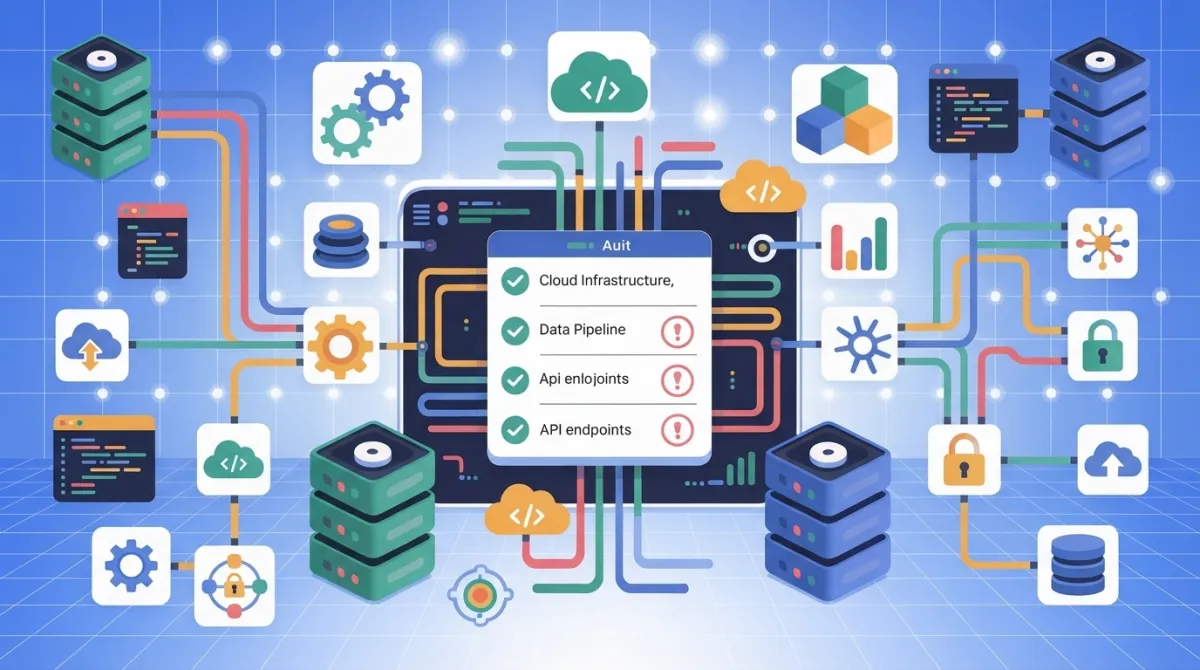
Here's the audit I run with clients before recommending any AI implementation. Five areas, scored red, amber, or green. Fix the reds before you spend on tools.
**1. Data structure and cleanliness**
Open your CRM right now. Can you export a sensible list of your customers — names spelled consistently, contact details in the right fields, segments tagged correctly, no duplicates? If yes, green. If you have to apologise for the state of it, amber. If you don't really use the CRM and customer information lives in inboxes and spreadsheets, red.
This is the foundation. AI tools that work with customer data are useless if the data is a mess. And AI cannot fix the mess for you — at least not reliably, not without a lot of human effort to clean up afterwards.
The honest test: would you be happy for an AI tool to read this data and act on it without supervision? If the answer makes you nervous, the data isn't ready.
**2. Integrations between tools**
Pick the two tools your business depends on most. Your CRM and your email platform, say. Or your project management tool and your invoicing system. Do they talk to each other automatically, or does someone copy-paste between them every week?
If they're properly integrated, green. If you use Zapier or Make to bridge them, amber — that works, but it's fragile. If someone is manually moving data between them, red.
The reason this matters: most useful AI workflows involve data moving between tools. If your tools are isolated islands, the AI has nothing to connect. The integration layer is where the real productivity gains live, and most SMEs underinvest in it.
**3. Access, permissions, and security**
Can you give an AI tool — or a new team member, for that matter — access to a specific dataset without exposing everything? Are passwords shared on Slack? Is there a single login that everyone uses for the main tools?
If you have proper user management, role-based access, and a password manager, green. If access is messy but you broadly know who can see what, amber. If the answer is "we all just use Bob's login," red, and you have a security problem before you have an AI problem.
This matters more than it used to. AI tools often need access to multiple systems, and you don't want to be giving them the keys to everything when they only need to read one folder. Tidy permissions now save expensive mistakes later.
**4. Documentation**
When something in your tech stack needs changing, who knows how it's configured? Is there a record of which tools are connected to which, what the integrations do, who set them up, and how to undo them?
If yes, green — and you're in a small minority. If one or two people in the business hold most of it in their heads, amber. If the answer is "we'd have to figure it out," red.
The reason this matters for AI specifically: AI implementations add complexity to the stack. If you're already in a state where nobody quite knows how things fit together, adding AI on top makes the situation worse, not better. You need a clear picture of the current state before you can build sensibly on top of it.
**5. Legacy blockers**
Every SME has at least one. The old industry-specific software the business runs on. The on-premise system nobody wants to touch. The supplier portal that hasn't been updated since 2014. The tool with no API, no export, no integration options.
If your core systems are modern and API-accessible, green. If you have one or two legacy tools that you work around, amber. If your main operational tool is closed, on-premise, or unsupported, red — and that's the conversation to have first, because no amount of AI investment will work around it.
Legacy blockers are the single most common reason ambitious AI plans hit a wall in SMEs. Identify them early so you can plan around them, rather than discovering them three weeks into an implementation.
## What to do with the results
Once you've scored each area, the priority is obvious. Fix the reds first. Improve the ambers second. Don't invest in new AI tools until at least the reds are addressed.
In practice this often means the first AI-related spend in an SME isn't on AI at all. It's on a CRM cleanup, an integration project, or a documentation exercise. That's not a setback — it's the work that makes everything else possible. The businesses I see getting the best results from AI are almost always the ones who did the foundation work first, even when it felt like a detour.
## The trap to avoid
The trap is buying AI tools to fix problems that aren't actually AI problems. Bad data isn't fixed by a smarter tool. Disconnected systems aren't fixed by an automation layer on top. A missing audit trail isn't fixed by adding another moving part.
If the foundations are wrong, AI makes the wrong things faster. That's worse than not having it at all.
## The practical takeaway
Spend an afternoon scoring your stack against the five areas. Red, amber, green. Be honest about it.
Then fix the reds before you spend another pound on AI tools. The investment that feels least exciting — cleaning data, joining up systems, writing things down — is almost always the one that determines whether everything else works.
If you'd like a copy of the Smart AI Studio tech stack readiness scorecard, drop me a message on LinkedIn and I'll send it over.
## FAQ
### What makes a tech stack "ready" for AI?
Systems that hold current data, information people can actually find, sensible access controls, a way to connect tools together, and someone who owns each system. Readiness is about foundations, not about buying AI products.
### Do we need to upgrade everything first?
No. Check the parts your first project touches. A single system with clean, current data is enough to start, and it teaches you more than a year-long modernisation programme.
### What is the most common weak point?
Information scattered across email, shared drives and someone's desktop. If people cannot find the current version, neither can an AI tool.
This article was written by Peter Lowe. The ideas and opinions are his own; AI was used to assist with drafting and editing.