AI Compliance & Governance: A Plain-English Guide for UK Business Owners
· By Peter Lowe
Category: Governance
## What This Guide Is For
If your business uses any kind of AI tool — whether that's a chatbot on your website, software that screens job applications, a tool that generates marketing content, or even just AI features built into your existing systems like your CRM or HR platform — this guide is for you.
The rules around AI are moving fast, in both the UK and Europe — and not always in the direction you'd expect (some are tightening, some are loosening). Getting this wrong can mean fines, reputational damage or legal claims. Getting it right protects your business, builds trust with customers and staff, and lets you use AI with confidence rather than hesitation.
This guide uses plain language throughout. No jargon. Where a technical term is unavoidable, it is explained immediately.
## Part 1: What Are the Rules and Who Do They Apply To?
### The UK Position
The UK government has not yet passed a specific AI law. Instead, it has told existing regulators — the ICO (data protection), the FCA (financial services), the CMA (competition), and others — to apply their existing powers to AI. This means:
- The ICO can already investigate and fine you for how AI handles personal data
- Employment tribunals can already hear claims about unfair AI-driven decisions at work
- Consumer protection rules already apply to AI-generated marketing claims
The government has set out five principles that all UK businesses using AI should follow:
1. **Safety, security and robustness** — your AI should work reliably, resist manipulation, and not put people at risk of harm
2. **Transparency and explainability** — people should know when AI has been used to affect them, and you should be able to explain what it did
3. **Fairness** — your AI should not treat people differently based on irrelevant characteristics
4. **Accountability and governance** — someone in your business should own and answer for every AI system you use
5. **Contestability and redress** — people affected by an AI-influenced decision should be able to challenge it and put it right
### The EU Rules — Why They Matter Even If You're UK-Based
The EU passed a major new law called the **EU AI Act**, which has already started coming into force. Even though the UK has left the EU, this law **applies to any UK business that sells to, or provides services to, people based in the EU**. If your customers, users, or employees are in the EU — even partially — you are in scope.
**Key dates you need to know:**
| What | When | What It Means for You |
|---|---|---|
| Ban on the most harmful AI uses | **Already in force (Feb 2025)** | Check now that none of your AI does the things listed in the banned list below |
| Rules on large, general-purpose AI models | **Aug 2025 — already in force** | If you build or sell AI-powered products into the EU, additional duties apply |
| Transparency duties (e.g. telling people they're dealing with a chatbot, labelling AI-generated content) | **Aug 2026** | These were not delayed — if you have EU users, plan for them |
| Rules on higher-risk AI (recruitment, credit, health, etc.) | **Originally Aug 2026 — now Dec 2027** | The main high-risk deadline was pushed back in mid-2026 under the EU's "Digital Omnibus" package. It's coming, not imminent — but if you use AI in these areas and have EU customers, start preparing now |
**Fines for getting this wrong:** Up to €35 million, or 7% of your global annual turnover — whichever is larger — for the most serious breaches.
### UK Data Protection Law (UK GDPR)
Even if the EU AI Act doesn't apply to you, **UK data protection law does** — the moment your AI system touches any information about a living, identifiable person.
The rules were updated in early 2026 through the **Data (Use and Access) Act 2025**. The main practical change: computers are now permitted to make certain automated decisions about people without a human signing off every time — but strong safeguards still apply. Specifically:
- You **must** tell people when a computer has made a significant decision about them
- You **must** give people the ability to challenge that decision and have a real human look at it
- For sensitive information (health, race, religion, sexual orientation), the old stricter rules still apply
## Part 2: Finding Out What AI Your Business Is Already Using
### You Probably Have More AI Than You Think
Most businesses that have never formally tracked their AI use are surprised by how much they find. AI isn't just the big obvious tools like ChatGPT — it's built into your email platform, your accounting software, your HR system, your website chat widget, and your social media scheduling tool.
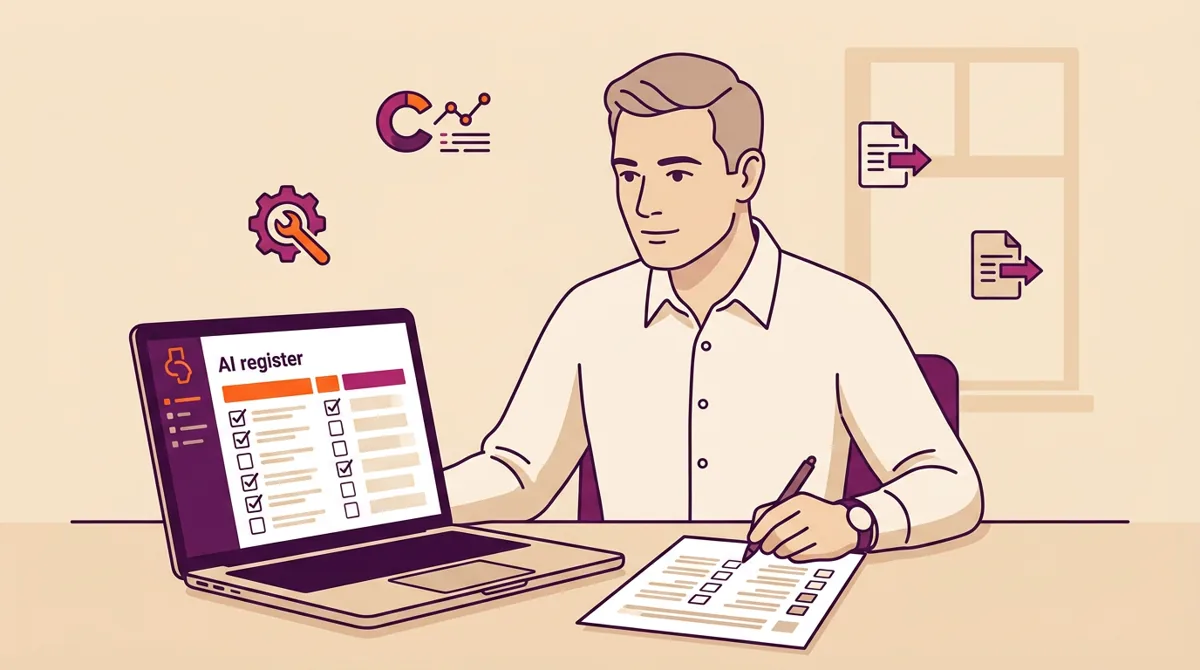
**Your first task is to make a list of every AI tool you use.** This list is called an **AI register** (think of it like a COSHH register for chemicals, or an asset register for equipment — it's simply a record of what you have).
### How to Find What You Have
Go through each of these five steps:
1. **Ask your team.** Talk to the people running each department — sales, marketing, HR, finance, operations, customer service, IT. Ask: "What software tools are you using that suggest things, score things, automate decisions, or generate content?"
2. **Look at your software subscriptions.** Go through every SaaS tool and check whether AI features are switched on. Many providers like Salesforce, HubSpot, and Microsoft 365 have added AI features that are on by default.
3. **Check what staff are using on their own.** Many employees use free AI tools like ChatGPT, Grammarly, or Canva AI on their work computers without telling IT. This is sometimes called "shadow AI" — and finding it is a job in itself; our companion piece on [uncovering shadow AI](/insights/shadow-ai-find-before-regulator/) walks through the discovery process.
4. **Look at recent purchases.** Any new software bought in the last two years is likely to have AI features — even if it wasn't the reason you bought it.
5. **Ask new suppliers.** Make it standard practice to ask any new software or technology supplier: "Does your product use AI? If so, how and where?"
### What to Record for Each AI Tool
Once you've found each tool, write down the following for each one:
- What it's called and what it does
- Which department uses it
- Who is responsible for it (the "owner")
- Whether it handles personal information about customers, staff, or other people
- Whether it makes decisions — or helps make decisions — that affect people
- Whether it was bought from a supplier or built in-house
- When you last checked it was being used properly
Keep this list somewhere central and review it every three months.
## Part 3: How to Decide How Risky Each AI Tool Is
Not every AI tool carries the same level of risk. A tool that writes social media captions is very different from one that scores job applicants or decides whether a customer qualifies for credit. Your job is to work out which of your AI tools could cause real harm to real people — and treat those more seriously. Our companion piece, [Is Your AI High, Medium or Low Risk?](/insights/ai-risk-classification-3-question-test/), goes deeper on this.
### The Three-Level Risk Check
For each tool on your AI register, ask these three questions in order:
**Question 1: Could this AI affect an important decision about a person?** Examples of important decisions: hiring or firing someone, approving or rejecting a credit application, deciding whether someone qualifies for a service, determining someone's pay or performance rating.
- If yes → this is likely **High Risk** — treat it with the greatest care
- If no → move to Question 2
**Question 2: Does this AI handle personal information about people at scale?** For example: personalising marketing emails to thousands of customers, recommending products based on browsing behaviour, scoring or segmenting your customer database.
- If yes → this is likely **Medium Risk** — requires meaningful checks
- If no → move to Question 3
**Question 3: Does this AI only help with internal tasks and never directly touch decisions about people?** For example: summarising documents, drafting internal reports, suggesting meeting times, auto-completing forms.
- If yes → this is likely **Low Risk** — register it and do a basic check, but lighter-touch oversight is fine
### What Each Level Means in Practice
**High Risk — full attention required** Examples: CV screening software, loan or credit decisioning tools, facial recognition access systems, AI that assesses employee performance, AI that determines whether customers receive a service or benefit.
What you must do:
- Complete a Data Protection Impact Assessment (DPIA) (more on this below)
- Ensure a real person can review and overturn any AI decision
- Check your supplier's credentials thoroughly
- Make sure affected people know AI is involved and can challenge the outcome
- Document everything
**Medium Risk — meaningful checks required** Examples: Chatbots that handle customer enquiries, AI that personalises marketing, recommendation engines, tools that analyse customer sentiment.
What you must do:
- Carry out a documented risk review
- Tell people when they're interacting with AI
- Review the tool periodically to check it's behaving as intended
**Low Risk — basic record-keeping required** Examples: AI writing assistants, document summarisers, meeting transcription tools, internal productivity tools.
What you must do:
- Add to your AI register
- Set a brief policy on acceptable use
- Check annually that the tool's scope hasn't changed
## Part 4: The Things AI Must Never Do
The following uses of AI are **banned outright** for any business with EU customers or operations, and came into force in February 2025. Review this list carefully — if any of your AI tools do any of these things, stop using them for that purpose immediately and take legal advice.
### The Eight Banned AI Uses
1. **Manipulating people without them knowing** AI that uses subliminal or hidden techniques to change how people think or behave, without them being aware of it.
2. **Exploiting people's weaknesses** AI that targets people because of their age, disability, financial difficulties, or personal vulnerabilities — for example, pushing someone into a purchase they can't afford.
3. **Scoring people's social behaviour** AI that gives people a "social score" based on how they've behaved in one area of their life, and then uses that score to treat them differently in an unrelated area.
4. **Predicting whether someone will commit a crime** AI that profiles individuals and flags them as likely criminals based on characteristics rather than actual evidence.
5. **Building databases of people's faces without permission** Scraping photos from the internet or CCTV footage to create a facial recognition database — without consent. This is exactly what Clearview AI was taken to court over (see Case Studies below).
6. **Reading employees' or students' emotions** Using AI cameras or sensors to detect whether staff or students are stressed, happy, bored, or disengaged — except where there is a specific safety justification.
7. **Categorising people by sensitive characteristics** Using facial or biometric analysis to infer someone's race, religion, political views, or sexual orientation.
8. **Live facial recognition in public places (by law enforcement)** Scanning faces in real time in public spaces. There are very narrow exceptions for national security and serious crime.
## Part 5: What the Law Requires You to Do Right Now
### If Your AI Touches Personal Information — You Must:
**1. Have a lawful reason for using it** You need a documented, legal reason to use personal information in your AI tool. "It came with the software" is not a lawful reason. Common lawful reasons include: the person's consent, a contract you have with them, or a legitimate business interest that doesn't override their rights.
**2. Only collect what you genuinely need** Don't feed your AI system data it doesn't need to do its job. If your marketing AI only needs email addresses and purchase history, don't give it health information or financial details.
**3. Tell people what's happening** Your privacy notice (the one on your website or in your terms and conditions) must explain that you use AI, what it does, and what influence it has on decisions. If AI is involved in how you assess job applicants, your job adverts and application forms need to say so.
**4. Carry out a Data Protection Impact Assessment for higher-risk AI** A Data Protection Impact Assessment (DPIA) is a structured review you must complete before using AI that is likely to significantly affect people. (You may also see it called a Privacy Impact Assessment, but DPIA is the term UK data protection law uses.) Think of it like a risk assessment before starting a hazardous piece of work.
You need to do this if your AI:
- Makes decisions about people automatically
- Processes sensitive personal information (health, finances, race, religion, etc.)
- Monitors employee behaviour or performance
- Profiles customers at large scale
The assessment must describe what the AI does, why you're doing it, what the risks are, and how you'll reduce those risks.
**5. Let people challenge AI decisions** If your AI makes a significant decision about someone — whether that's declining a customer, scoring a job applicant, or assessing a claim — that person has the right to ask for a human to review it. You must make that possible in practice, not just in theory.
**6. Keep a record of what you're doing** Maintain a written record (called a Record of Processing Activities) of every AI-related use of personal data. This should include: what the AI does, whose data it uses, why you're using it, how long you keep the data, and who has access.
## Part 6: Buying AI from a Supplier — What to Check
Most AI tools are bought "off the shelf" from a software supplier. But buying a tool does not mean you hand over the legal responsibility. **You remain accountable** for how AI tools you purchase affect your customers and staff. For the detail, see our guide to the [eight questions to ask an AI supplier](/insights/ai-supplier-due-diligence-questions/).
### Before You Buy or Renew Any AI Tool, Ask the Supplier:
| Question | Why It Matters |
|---|---|
| What does this tool actually do with our data? | You need to know whether personal data is used to improve their wider product |
| Where is the data stored — UK, EU, or elsewhere? | Storing personal data outside the UK/EU requires extra legal steps |
| Has it been independently tested for bias or unfair outcomes? | Especially important for HR, credit, or customer-facing AI |
| What certifications does it hold? (e.g. ISO 27001, SOC 2, Cyber Essentials) | Evidence of security standards |
| Can we audit how the tool makes its decisions? | Regulatory investigations require you to be able to explain AI decisions |
| What happens if it makes a mistake — who is liable? | Ensure this is explicitly covered in the contract |
| Will you tell us if you make significant changes to how the AI works? | Model updates can change AI behaviour in ways that affect your compliance |
| Do you have a written data processing agreement we can sign? | This is a legal requirement under UK GDPR if the supplier handles personal data on your behalf |
**Tip:** Don't accept verbal reassurances. Ask for written documentation, audit reports, or certifications. If a supplier cannot or will not provide them, treat that as a red flag.
## Part 7: Making Sure a Human Stays in Control
One of the most important principles in UK and EU law is that a real person — not just a computer — must be able to step in and review any significant decision that affects someone's life. We cover this in full in [why your AI needs a human in charge](/insights/ai-human-oversight-meaningful/).
This doesn't mean a human needs to press "approve" on every automated output. But it does mean:
- There must be a genuine process for someone to review a decision if asked
- The person doing the review must actually have the knowledge and authority to change the outcome — not just rubber-stamp the computer's answer
- Staff should be trained to question AI outputs rather than simply accept them
- You should keep records of when human reviews take place and what was decided
**Watch out for "automation bias"** — this is when staff simply agree with whatever the AI says because it feels easier or more authoritative. The ICO looks specifically at whether human oversight is meaningful, not just decorative. (The ICO's detailed guidance on exactly what counts as "meaningful" human involvement is still being finalised as of mid-2026, so this is an area to keep an eye on.)
### At Board Level
AI governance is not just an IT or compliance matter. It is a board-level responsibility. Business owners and directors should:
- Know which AI systems carry the most risk to your business
- Receive regular updates on compliance status
- Have the power to halt any AI deployment that poses unacceptable risk
- Ensure someone in the business owns the AI governance programme
## Part 8: Real Business Examples — What Went Wrong and Why
We examine these enforcement cases in more depth in [Four Enforcement Cases Every UK Business Should Read](/insights/lessons-from-ico-fines-ai-cases/).
### Example 1: Building a Face Database Without Permission
**What happened:** A US company called Clearview AI scraped billions of photos from the internet — including photos of UK residents from social media — without asking anyone's permission. It then sold access to this facial recognition database to law enforcement.
**What the regulator did:** The ICO fined the company **£7.5 million** (in 2022) and told it to stop collecting UK residents' data and delete what it had already gathered. After a long legal battle, a tribunal confirmed in October 2025 that UK data protection law applied even though the company was based in the US. That jurisdiction point is now settled — but the fine itself was sent back to a lower tribunal to decide, and Clearview is appealing further, so the penalty is not yet final.
**What this means for your business:**
- Using publicly available images or data in AI does not automatically make it legal
- UK GDPR applies to any organisation whose AI affects people based in the UK — no matter where the business is located
- The kind of facial database Clearview built is now **banned outright** under EU AI law
### Example 2: Failing to Protect Children's Data
**What happened:** TikTok allowed up to 1.4 million UK children under 13 to create accounts and use the platform without proper parental consent. The ICO found that TikTok's own senior staff had internally flagged the problem — but nothing was done.
**What the regulator did:** The ICO fined TikTok **£12.7 million** (in 2023). TikTok is appealing, so this fine is not yet final — but the ICO's findings still show clearly what the regulator expects.
**What this means for your business:**
- AI-driven recommendation systems that could expose children or vulnerable people to harm face the strongest scrutiny
- Knowing about a problem and failing to act on it makes things significantly worse in the eyes of the regulator
- If your platform, app, or tool could be used by under-18s, you have specific additional obligations
### Example 3: A Cyber Attack That Exposed Six Million People's Data
**What happened:** An employee at Capita — a large outsourcing company — downloaded a malicious file, triggering a ransomware attack. Despite an alert within minutes, it took Capita 58 hours to isolate the compromised device, and in that window data belonging to 6.6 million people was taken.
**What the regulator did:** The ICO fined Capita **£14 million** in October 2025. The original proposed fine was £45 million, reduced after Capita admitted the failures, cooperated with the investigation and agreed not to appeal. Of the four cases here, this is the only fully settled one.
**What this means for your business:**
- If your business uses AI to process large volumes of personal data, the security of the entire system — not just the AI itself — is your responsibility
- How quickly and cooperatively you respond to a breach will directly affect the severity of any fine
- A signed data processing agreement with your supplier does not transfer your legal responsibility for data security
### Example 4: AI Trained on Personal Data Without a Legal Basis
**What happened:** Italy's data regulator investigated OpenAI (the company behind ChatGPT) and found that it had collected personal data to train its AI without a proper lawful basis, without telling users clearly how their data was being used, and without adequate age checks.
**What the regulator did:** OpenAI was fined **€15 million** in December 2024. (OpenAI is appealing, so the outcome may yet change — but the regulator's findings are the useful part for the rest of us.)
**What this means for your business:**
- If you use a third-party AI tool, you should check where it was trained and whether the company has a valid legal basis for using that training data
- This is part of your supplier due diligence — ask the question before signing up
- "Everyone else is using it" is not a defence
## Part 9: Your AI Compliance Checklist
Work through this checklist in order. Tick each item off as you complete it. Items marked **[HIGH PRIORITY]** should be addressed within 30 days if they are not already in place.
### Step 1 — Find Out What AI You Have
- [ ] **[HIGH PRIORITY]** Speak to each department head and ask what AI tools they use or know about
- [ ] **[HIGH PRIORITY]** Review all software subscriptions for built-in AI features
- [ ] Ask staff to report any AI tools they use on work devices, including free tools
- [ ] Review new software contracts signed in the last two years for AI references
- [ ] Create an AI register with a named owner for each tool
- [ ] Add a question about AI to your standard supplier onboarding checklist going forward
### Step 2 — Know Your Risk
- [ ] **[HIGH PRIORITY]** Go through your AI register and classify each tool as High, Medium, or Low risk using the three-question test in Part 3
- [ ] **[HIGH PRIORITY]** Check your AI tools against the eight banned uses in Part 4 — confirm none apply
- [ ] For every High Risk tool: confirm a Privacy Impact Assessment has been done or schedule one immediately
- [ ] For every tool handling personal data: confirm you have a documented lawful reason for using that data
- [ ] Identify all processes where AI makes or significantly influences a decision about a person
### Step 3 — Sort Your Legal Obligations
- [ ] **[HIGH PRIORITY]** Update your privacy notice (website and any staff/applicant documentation) to mention your use of AI
- [ ] **[HIGH PRIORITY]** For all AI tools that handle personal data from a supplier, check whether a written Data Processing Agreement is in place — if not, get one
- [ ] Confirm that people who receive AI-influenced decisions can ask for a human review — and that the human review is genuine
- [ ] For special category data (health, race, religion, finance), confirm the AI processing has been formally assessed and approved
- [ ] If you have EU customers or staff, review whether the EU AI Act's higher-risk rules apply to any of your tools (the main high-risk deadline moved from August 2026 to December 2027, but the earlier you know where you stand, the better)
### Step 4 — Check Your Suppliers
- [ ] For your highest-risk AI tools, send the supplier the due diligence questions in Part 6
- [ ] Ask each AI supplier for their security certifications
- [ ] Confirm your contracts include a clause requiring the supplier to tell you about significant changes to the AI
- [ ] Check that contracts cover who is liable if the AI causes harm to a customer or employee
- [ ] Make sure you have audit rights written into contracts for high-risk systems
### Step 5 — Set Up Ongoing Governance
- [ ] Appoint one person as your AI lead — someone responsible for keeping the AI register up to date and flagging new risks
- [ ] Set a quarterly calendar reminder to review the AI register for new tools or changes
- [ ] Brief your senior team or board on the key AI risks to the business
- [ ] Create a simple internal policy setting out what staff can and cannot use AI for at work
- [ ] Establish a process for reporting AI-related concerns internally (e.g., if staff notice an AI tool behaving unexpectedly)
- [ ] Set a reminder to check ICO guidance updates and any new government AI guidance twice a year
### Step 6 — Scale Up (6–24 Months)
- [ ] Complete Privacy Impact Assessments for all Medium Risk tools
- [ ] Deliver basic AI awareness training to all staff who use AI tools in their roles
- [ ] Build AI questions into your regular supplier review process
- [ ] If your business uses AI in employment decisions, credit assessments, or health-related contexts, take specialist legal advice on EU AI Act compliance ahead of the high-risk deadline (now December 2027). Choose an adviser who helps you find the compliant way to keep moving, not one who simply blocks — a good one still says "stop" when the answer is genuinely stop, but shows you the route through
- [ ] Review whether ISO/IEC 42001 (the AI management system standard) would benefit your business, particularly if clients or contracts require evidence of AI governance
- [ ] Build a simple internal process for handling customer or staff requests to challenge an AI-influenced decision
## Part 10: At a Glance — Which Rules Apply to You
| Your Situation | Rules That Apply | Who Enforces Them |
|---|---|---|
| You use any AI that handles personal data about UK people | UK GDPR (including DUAA 2025 updates) | ICO |
| You use AI that could affect EU customers or staff | EU AI Act (bans already in force; high-risk duties now from Dec 2027) | EU regulators |
| You use AI in recruitment, HR decisions, or employee monitoring | Equality Act 2010, UK GDPR, EU AI Act (high risk) | ICO, Employment Tribunals, EHRC |
| You use AI that makes financial decisions about customers | FCA rules, UK GDPR, EU AI Act (high risk) | FCA, ICO |
| You use AI on a platform children might access | UK GDPR, ICO Children's Code | ICO |
| You build and sell AI products or tools | EU AI Act (provider obligations), UK GDPR | EU regulators, ICO |
## Quick Reference — Key Contacts and Resources
- **ICO (Information Commissioner's Office)** — UK data protection guidance and AI-specific resources: [ico.org.uk/for-organisations/uk-gdpr-guidance-and-resources/artificial-intelligence/](https://ico.org.uk/for-organisations/uk-gdpr-guidance-and-resources/artificial-intelligence/)
- **EU AI Act official text and guidance:** [digital-strategy.ec.europa.eu/en/policies/regulatory-framework-ai](https://digital-strategy.ec.europa.eu/en/policies/regulatory-framework-ai)
- **UK Government AI guidance:** [gov.uk/government/publications/ai-regulation-a-pro-innovation-approach](https://www.gov.uk/government/publications/ai-regulation-a-pro-innovation-approach)
- **ISO/IEC 42001 AI Management Standard:** Available from the British Standards Institution (BSI)
## Where to Start
You do not have to work through all ten parts at once. Most businesses begin with a discovery exercise to find every AI tool in use, then classify each one by risk. If you would like help running that with your team, our [AI readiness and governance work](/ai-consultancy/) is built for exactly this — and you are welcome to [book a call with Peter](/contact/) to talk it through.
## Frequently asked questions
### Do small businesses in the UK need AI compliance and governance?
Yes. AI compliance and governance duties under UK GDPR and the EU AI Act apply by what your AI does, not by how big your company is. If your AI touches personal data or makes decisions about people, you are in scope — a lightweight policy plus clear ownership is usually enough to start.
### Where should a UK business start with AI governance?
Start with visibility: list every AI tool in use, including free tools and features inside platforms you already pay for. Then assign an owner, rate each use for risk, and set basic human oversight. You cannot govern what you have not mapped.
### Which regulator oversees AI in the UK?
The UK uses a sector-led approach, with the Information Commissioner’s Office (ICO) leading on the data-protection aspects of AI. Businesses with EU users also fall under the EU AI Act. Both judge you on how you buy, run and oversee AI in practice.
*This guide reflects the regulatory position as of July 2026. The AI regulatory landscape is changing rapidly — in particular, the EU AI Act's high-risk deadlines were amended in mid-2026, and several of the enforcement fines mentioned above are under appeal — so check the ICO website and the EU AI Act service desk for the current position before acting. This guide is for general awareness and does not constitute legal advice. For specific compliance matters, consult a qualified solicitor or data protection specialist.*
This article was written by Peter Lowe. The ideas and opinions are his own; AI was used to assist with drafting and editing.